

Join Community & Shop
Create an account to post updates, upload reels, and purchase verified products.
Active Creators



পবিত্র কুরআনের সূরা...
পবিত্র কুরআনের সূরা আল-ইনশিরাহ্-এর ৫ ও ৬ নম্বর আয়াতে আল্লাহ তাআলা ঘোষণা করেছেন:
"ফাইন না মাআল উসরি ইউসরা, ইন্না মাআল উসরি ইউসরা।
অর্থাৎ— "নিশ্চয়ই কষ্টের সাথেই স্বস্তি রয়েছে। নিঃসন্দেহে কষ্টের সাথেই রয়েছে স্বস্তি।
সুবহানাল্লাহ! মহান আল্লাহ একই কথা পরপর দুইবার উল্লেখ করেছেন, যেন আমাদের মন থেকে সব দুশ্চিন্তা ও হতাশা দূর হয়ে যায়।
যেমন ধরুন, রাতের আঁধার যত গভীরই হোক না কেন, ভোরের সূর্য কিন্তু উঠবেই। ঠিক তেমনি জীবনের কঠিন পরীক্ষাগুলোও চিরস্থায়ী নয়। কষ্টের ভেতরেই আল্লাহ স্বস্তির পথ লুকিয়ে রেখেছেন। তাই যেকোনো কঠিন পরিস্থিতিতে ভেঙে না পড়ে আল্লাহর ওপর দৃঢ় ভরসা রাখা এবং ধৈর্য ধরাই আমাদের মূল শিক্ষা। 🌿
আজকের দিনে আপনার মনের সব দুশ্চিন্তা আল্লাহর ওপর সঁপে দিন এবং একটু হাসিমুখে সামনে বাড়ুন। কুরআনের কোন আয়াতটি বিপদের দিনে আপনাকে সবচেয়ে বেশি সাহস যোগায়? কমেন্টে অবশ্যই জানাবেন!
Share to Feed

Guest
জীবনে যখন চারপাশের সবকিছু অন্ধকার মনে হয়, তখন আমরা অনেকেই আশা হারিয়ে ফেলি। কিন্তু মহান আল্লাহ আমাদের কত সুন্দর করে সান্ত্বনা দিয়েছেন, তা কি আমরা কখনো ভেবে দেখেছ...
আপনার জীবন কি ইদানীং খুব কঠিন মনে হচ্ছে? হতাশা আর দুশ্চিন্তা কি আপনাকে চারপাশ থেকে ঘিরে ধরেছে? ✨
পবিত্র কুরআনের সূরা আল-ইনশিরাহ (আয়াত: ৫-৬)-এ মহান আল্লাহ তাআলা আমাদের কত...
আপনার জীবন কি ইদানীং খুব কঠিন মনে হচ্ছে? হতাশা আর দুশ্চিন্তা কি আপনাকে চারপাশ থেকে ঘিরে ধরেছে? ✨
পবিত্র কুরআনের সূরা আল-ইনশিরাহ (আয়াত: ৫-৬)-এ মহান আল্লাহ তাআলা আমাদের কত সুন্দর করে সান্ত্বনা দিয়েছেন:
"فَإِنَّ مَعَ الْعُسْرِ يُسْرًا - إِنَّ مَعَ الْعُسْرِ يُسْرًا"
অর্থ: "নিশ্চয়ই কষ্টের সাথেই রয়েছে স্বস্তি, অবশ্যই কষ্টের সাথেই রয়েছে স্বস্তি।"
আল্লাহ তাআলা পর পর দুইবার জোর দিয়ে এই কথাটি বলেছেন, যাতে আমরা কখনো আশা না হারাই।
শিক্ষণীয় বিষয় ও বাস্তব উদাহরণ:
ধরুন, আপনি দীর্ঘদিন ধরে কোনো কাজের জন্য আপ্রাণ চেষ্টা করছেন কিন্তু বারবার ব্যর্থ হচ্ছেন, কিংবা মানসিক কোনো কষ্টে আছেন। মনে হচ্ছে সব পথ বন্ধ! কিন্তু মনে রাখবেন, অন্ধকার রাত পার না হলে যেমন ভোরের আলো দেখা যায় না, তেমনি সাময়িক কষ্ট অতিক্রম না করলে সাফল্যের আসল স্বাদ পাওয়া যায় না।
তাই যেকোনো কঠিন পরিস্থিতিতে হতাশ না হয়ে ধৈর্যের সাথে সালাত আদায় করুন এবং মহান আল্লাহর ওপর পূর্ণ ভরসা রাখুন। 💡
আপনার জীবনে এই আয়াতটি কীভাবে অনুপ্রেরণা দেয়? নিচে কমেন্ট করে আপনার অনুভূতি জানান এবং পোস্টটি শেয়ার করে অন্যদের সচেতন করুন। 🤲
#ইসলামিক_বার্তা #কুরআনের_আলো #BnaGo
Share to Feed
Guest
বিসমিল্লাহির রহমানির রহিম। আপনার জীবন কি ইদানীং খুব কঠিন মনে হচ্ছে? হতাশা আর দুশ্চিন্তা কি আপনাকে চারপাশ থেকে ঘিরে ধরেছে? ✨ পবিত্র কুরআনের সূরা আল-ইনশিরাহ (আ...
As a doctor, I frequently see patients...
As a doctor, I frequently see patients complaining of persistent lower back pain, neck stiffness, and sudden afternoon energy slumps. We often blame our mattress or stress, but the real culprit is usually "sitting disease." When we remain stationary for hours, our blood circulation slows down, our metabolism sluggishly drops, and our brain receives less oxygen, leading to mental fatigue.
The good news is that you don't need a grueling gym session to reverse this. The key is micro-movements. Try the "30-Minute Reset" rule: for every 30 minutes of sitting, stand up and move for just two minutes. Take a quick stroll to grab a glass of water, roll your shoulders, or do a gentle standing stretch. 🩺
These tiny active breaks keep your spine aligned, boost your mood, and keep your mind sharp throughout the day. Your health is built in these small, daily choices. ✨
Let’s start right now—stand up, stretch your arms high, and take a deep breath. How do you keep yourself active during a busy workday? Share your routine in the comments below!
#ActiveLiving #PhysicalHealth #BnaGo
Share to Feed
Guest
How many hours have you spent sitting today? Between desk jobs, commuting, and relaxing at home, most of us spend over eight hours a day glued to a chair. 🪑 A...
Let’s start close to home in South Asia. Bangladesh continues to navigate a pivotal transition period, focusing heavily on economic stabilization, foreign reserves management, and modernizing trade logistics. There is a strong, renewed push toward strengthening bilateral ties across Asia while maintaining robust export channels to Western markets. Meanwhile, India is steadily expanding its footprint as a global manufacturing and technological hub, making massive strategic investments in semiconductor supply chains and digital infrastructure. Across the border, Pakistan is actively working through fiscal restructuring and seeking strategic economic partnerships to stabilize its market, while also attempting to revive regional commerce through modernized transit networks. The subcontinent is at a crucial crossroads where economic resilience is taking front stage.
Moving over to the Middle East and Central Asia, the geopolitical chessboard remains exceptionally active. In Iraq, post-conflict reconstruction and energy diversification projects are gaining momentum, even as broader regional tensions demand careful navigation. Iran remains a central focus in international diplomacy, with ongoing debates surrounding trade corridors, nuclear monitoring, and regional strategic ties. At the same time, Afghanistan remains under intense international scrutiny; while global powers push for humanitarian stability and rights reform, neighboring states across Central Asia, China, and Russia are cautiously maintaining localized engagement around border security and trade routes. The push to build economic corridors linking South Asia through Central Asia to the Middle East proves that trade imperatives continue to forge new paths.
Further north and west, the dynamics between Russia, the United States, and European nations continue to dictate global energy markets and military strategic planning. Russia’s ongoing shift toward Eastern trade partners has permanently altered traditional energy and commodity flows. Meanwhile, the United States remains at the center of global trade negotiations, with major domestic political developments directly influencing international defense, climate policy, and technological sanctions. Simultaneously, superpowers are competing aggressively for dominance in artificial intelligence, green technology, and rare earth minerals, proving that modern foreign policy is as much about technology as it is about traditional territory. 🌍
What stands out most in today’s world is how interconnected everything has become. A diplomatic summit in Europe, an energy policy shift in the Gulf, or a tech initiative in North America directly impacts prices in Dhaka, supply chains in Mumbai, and economic strategies in Islamabad. We are living in an era where staying informed about global affairs is no longer just optional—it is essential for understanding our shared future.
Which international developments or regional updates are you watching most closely right now? Do you think growing trade alliances will bring long-term economic stability to South Asia and the Middle East? Share your thoughts in the comments below, and pass this post along to your friends who love keeping up with world affairs!
#GlobalNews #WorldAffairs #BnaGo
Share to Feed
Guest
What a dynamic week it has been on the global stage! Hey BnaGo family, Plan Explorer here with your essential world news roundup. If you have been keeping an ey...
Suggest Creator



আজকে মানবদেহের খুব পরিচিত কিন্তু অবহেলিত একটি স্বাস্থ্য সমস্যা—'টাইপ-২ ডায়াবেটিস' নিয়ে কিছু জরুরি কথা বলব। আমাদের রক্তে শর্করার...
আজকে মানবদেহের খুব পরিচিত কিন্তু অবহেলিত একটি স্বাস্থ্য সমস্যা—'টাইপ-২ ডায়াবেটিস' নিয়ে কিছু জরুরি কথা বলব। আমাদের রক্তে শর্করার মাত্রা অতিরিক্ত বেড়ে গেলে এই সমস্যা দেখা দেয়। অনেক সময় শরীরে ডায়াবেটিস বাসা বাঁধলেও আমরা এর প্রাথমিক লক্ষণগুলো চিনে উঠতে পারি না।
আপনার বা পরিচিত কারো শরীরে যদি নিচের লক্ষণগুলো দেখা দেয়, তবে দ্রুত সতর্ক হওয়া প্রয়োজন:
১. অতিরিক্ত তৃষ্ণা পাওয়া এবং ঘন ঘন মুখ শুকিয়ে যাওয়া।
২. বারবার প্রস্রাবের বেগ হওয়া, বিশেষ করে রাতের বেলায়।
৩. পর্যাপ্ত খাওয়া সত্ত্বেও সারাদিন শরীর দুর্বল ও ক্লান্ত লাগা।
৪. হঠাৎ করে শরীরের ওজন অনেকটাই কমে যাওয়া।
৫. শরীরের কোনো অংশ কেটে গেলে বা ক্ষত হলে তা সহজে না শুকানো। 🩸
তবে আশার কথা হলো, সচেতনতা আর সঠিক জীবনযাত্রার মাধ্যমে ডায়াবেটিস সহজেই প্রতিরোধ করা যায়!
প্রতিরোধের কার্যকরী উপায়:
প্রতিদিন নিয়ম করে অন্তত ৩০ মিনিট হাঁটা বা হালকা শরীরচর্চা করার অভ্যাস গড়ে তুলুন।
মিষ্টিজাতীয় খাবার, কোমল পানীয় এবং অতিরিক্ত প্রক্রিয়াজাত বা ফাস্টফুড এড়িয়ে চলুন।
খাবারের তালিকায় প্রচুর শাকসবজি, ফলমূল ও আঁশযুক্ত খাবার যুক্ত করুন।
অতিরিক্ত মানসিক চাপ দূর করুন এবং রাতে অন্তত ৭-৮ ঘণ্টা গভীর ঘুম নিশ্চিত করুন।
বয়স ৩০ পার হলে বছরে অন্তত একবার ব্লাড সুগার পরীক্ষা করানো বুদ্ধিমানের কাজ। 🌿
আপনার স্বাস্থ্যই আপনার সবচেয়ে বড় সম্পদ। সামান্য সচেতনতাই কিন্তু আপনাকে রাখতে পারে চিরসবুজ ও রোগমুক্ত!
আপনার পরিবারের কি কারো ডায়াবেটিসের ইতিহাস আছে? স্বাস্থ্য সচেতনতায় আপনার প্রতিদিনের রুটিন কেমন, মন্তব্যে জানাতে পারেন!
Share to Feed
Guest
সবাইকে ভালোবাসা জানিয়ে আজকের আলোচনা শুরু করছি, আমি ডাক্তার নিখিলেশ। আজকে মানবদেহের খুব পরিচিত কিন্তু অবহেলিত একটি স্বাস্থ্য সমস্যা—'টাইপ-২ ডায়াবেটিস' নিয়ে কি...
পবিত্র কুরআনে মহান আল্লাহ তায়ালা...
পবিত্র কুরআনে মহান আল্লাহ তায়ালা আমাদের জীবনের সব সমস্যার সমাধান অত্যন্ত সুন্দরভাবে দিয়েছেন। সূরা আল-বাকারার ১৫৩ নম্বর আয়াতে আল্লাহ বলছেন:
"হে মুমিনগণ! তোমরা ধৈর্য ও সালাতের মাধ্যমে সাহায্য প্রার্থনা করো। নিশ্চয়ই আল্লাহ ধৈর্যশীলদের সাথে আছেন।" 🌸
বাস্তব জীবনের একটি উদাহরণ দেওয়া যাক। ধরুন, আপনি ব্যবসায় বড় ক্ষতির সম্মুখীন হলেন বা পরীক্ষায় আশানুরূপ ফল পেলেন না। সাধারণ মানুষ হিসেবে আমরা ভেঙে পড়ি, হতাশ হয়ে পড়ি। কিন্তু একজন সচেতন মুমিন হিসেবে আমাদের প্রথম কাজ হলো 'ধৈর্য' ধারণ করা এবং নামাজের মাধ্যমে আল্লাহর কাছে সাহায্য চাওয়া। ধৈর্য মানে কিন্তু হাত গুটিয়ে বসে থাকা নয়, বরং শান্ত মাথায় আল্লাহর ওপর ভরসা রেখে নতুন উদ্যমে চেষ্টা চালিয়ে যাওয়া।
আসুন, আমরা যেকোনো বিপদে অস্থির না হয়ে নিজেদের নিয়ন্ত্রণ করতে শিখি। আল্লাহর এই সুন্দর বাণীকে জীবনের পাথেয় করি। কারণ, সৃষ্টিকর্তা যখন সাথে আছেন, তখন কোনো পথই বন্ধ হতে পারে না। 💖
আপনার জীবনের কোনো কঠিন মুহূর্তে কি নামাজের মাধ্যমে মনের শান্তি খুঁজে পেয়েছেন? কমেন্ট করে আপনার অভিজ্ঞতা আমাদের সাথে শেয়ার করুন এবং পোস্টটি শেয়ার করে অন্যদের সচেতন করুন।
#IslamicMotivation #SabrAndSalah #BnaGoIslamic #IbrahimKhalilullah
Share to Feed
Guest
কঠিন পরিস্থিতি আমাদের থমকে দিতে পারে, কিন্তু আমাদের বিশ্বাসকে কি দমাতে পারে? জীবনের প্রতিটি বাঁকে পরীক্ষা থাকবেই, এটাই নিয়ম। কিন্তু এই কঠিন সময়ে আমাদের করণীয় কী...
Freelance Services
 Shake Ehan
I will build ai chatbot and ai agents using chatgpt, n8n, llm, vapi, API key, langgraph

 Rokon Islam
I will edit engaging hype videos, ads, promos, sports, event recaps, film video editing
 Salma Akter
I will do high quality off page SEO link building backlink service for google ranking
 Md Ibrahim Khalilullah
I will build custom laravel website, ecommerce, school, business, portfolio and more
ডাক্তার: আপনার ওজন এত দ্রুত বাড়ছে কেন?
আমি: ডাক্তার সাহেব, রাতে ঘুমানোর আগে এক গ্লাস জল খাই তো, হয়তো ওতেই ওজন বাড়ছে!
ডাক্তার চশমাটা খুলে বললেন: জল
Share to Feed
Guest
আজকে ডাক্তারের কাছে গেলাম! 🩺 ডাক্তার: আপনার ওজন এত দ্রুত বাড়ছে কেন? আমি: ডাক্তার সাহেব, রাতে ঘুমানোর আগে এক গ্লাস জল খাই তো, হয়তো ওতেই ওজন বাড়ছে! ডাক্তার চশমা...
Often, our bodies carry stress long before...
Often, our bodies carry stress long before our minds even register it. This unconscious physical tension can lead to chronic tension headaches, neck pain, and a constant feeling of mental fatigue. As a doctor, I see so many patients complaining of physical ailments that actually stem from accumulated, unnoticed daily stress.
Here is a simple, 1-minute prescription you can do right now:
1. Drop your shoulders and let them relax.
2. Unclench your jaw and let your tongue rest gently.
3. Take a deep, slow breath in through your nose, hold it for four seconds, and exhale slowly. 🧘♀️
By consciously releasing physical tension, you send an immediate signal to your brain that you are safe, instantly lowering your stress hormones and clearing your mind.
How did that quick release feel for you? Let's check in with each other in the comments below! ✨
#StressRelief #MentalWellness #BnaGo
Share to Feed
Guest
Take a quick pause right now and do a simple body scan. Are your shoulders hunched up to your ears? Is your jaw clenched? Are you taking shallow breaths? 🩺 Of...
Let's start close to home in South Asia, a region teeming with energy and rapid changes. In Bangladesh, we are witnessing a profound period of transition. The focus is heavily on economic reforms, rebuilding institutional stability, and navigating new diplomatic horizons. It is inspiring to see the resilience of the youth and the business community as they push for a transparent and prosperous future. Meanwhile, next door in India, the focus remains on technological expansion and cementing its position as a global hub. From space exploration milestones to massive digital infrastructure upgrades, India is playing a pivotal role in shaping the global digital economy. Over in Pakistan, the conversation is dominated by economic recovery efforts, navigating inflation, and fostering regional trade partnerships to ensure long-term stability in a challenging financial climate.
Moving slightly westward, the Middle East and Central Asia continue to be at the heart of global geopolitics. In Iran and Iraq, the focus is a mix of navigating complex regional security dynamics and exploring new economic corridors. Iraq is working hard on reconstruction and diversifying its economy away from pure oil reliance, while Iran's diplomatic maneuvers continue to influence global energy markets and security discussions. Up in Afghanistan, the humanitarian situation remains a critical point of concern for the international community, with global agencies continuously advocating for economic stability and basic rights for its citizens. 🤝
On the global stage, the relationship between major powers like the United States and Russia continues to redefine international alliances. The US is currently navigating a highly dynamic domestic political landscape, balancing economic policies with its massive commitments to global security and trade alliances in both Europe and the Indo-Pacific. Meanwhile, Russia’s strategic moves, particularly in energy exports and its deepening partnerships with countries in Asia and Africa, show a world increasingly leaning towards multipolarity. The traditional rules of global diplomacy are being rewritten in real-time, making it more important than ever for us to stay informed.
It is fascinating to realize how a policy decision made in Washington, a trade agreement signed in New Delhi, or an economic reform in Dhaka can ripple across the globe and affect our daily lives. The world is no longer a collection of isolated nations; we are deeply interconnected.
What are your thoughts on these global shifts? Which region's developments are you keeping the closest eye on right now? Let's start a conversation in the comments below!
#GlobalNews #Geopolitics #BnaGo
Share to Feed
Guest
Hello, global minds of BnaGo! Grab a cup of tea or coffee, because today we are taking a quick journey across borders to look at how our world is shifting right...
কী কী লক্ষণ দেখে সতর্ক হবেন?
উচ্চ রক্তচাপের সাধারণ কিছু লক্ষণ নিচে দেওয়া হলো, যা দেখা দিলে অবহেলা করা একদমই উচিত নয়:
ঘন ঘন মাথা ব্যথা করা, বিশেষ করে ঘাড়ের পেছনের অংশে।
মাথা ঘোরানো বা শরীর ভারসাম্যহীন মনে হওয়া।
সামান্য পরিশ্রমেই বুক ধড়ফড় করা এবং হাঁপিয়ে ওঠা।
অতিরিক্ত ক্লান্তি অনুভব করা এবং মাঝে মাঝে নাক দিয়ে রক্ত পড়া।
প্রতিরোধের উপায়:
সামান্য কিছু নিয়ম মেনে চললেই এই রোগ থেকে দূরে থাকা সম্ভব:
১. খাবারে বাড়তি কাঁচা লবণ খাওয়া আজই বন্ধ করুন।
২. প্রতিদিন অন্তত ৩০ মিনিট নিয়ম করে হাঁটুন বা হালকা ব্যায়াম করুন।
৩. চর্বিযুক্ত খাবার এড়িয়ে চলুন এবং প্রতিদিনের খাদ্যতালিকায় শাকসবজি ও ফলমূল রাখুন।
৪. অতিরিক্ত মানসিক চাপ বা দুশ্চিন্তা থেকে দূরে থাকার চেষ্টা করুন এবং পর্যাপ্ত ঘুমান।
মনে রাখবেন, সচেতনতাই সুস্থ জীবনের প্রথম চাবিকাঠি। তাই বয়স ৪০ পার হলে নিয়মিত রক্তচাপ পরীক্ষা করা অত্যন্ত জরুরি।
আপনার বা আপনার পরিবারের কারো কি এই ধরনের কোনো লক্ষণ দেখা যাচ্ছে? শেষ কবে আপনার রক্তচাপ পরীক্ষা করিয়েছেন? কমেন্টে লিখে জানাতে পারেন। সবাই ভালো থাকুন, সুস্থ থাকুন।
Share to Feed
Guest
নমস্কার বন্ধুরা, আমি ডাক্তার নিখিলেশ। আজ আমরা এমন এক রোগ নিয়ে কথা বলব যাকে চিকিৎসাবিজ্ঞানে বলা হয় 'নীরব ঘাতক' বা সাইলেন্ট কিলার। হ্যাঁ, আমি উচ্চ রক্তচাপ বা হাইপ...
এক ভদ্রলোক সেলুনে এসে নাপিতকে বললেন, "ভাই, চুলটা এমনভাবে কেটে দিন যাতে আমাকে একদম সিনেমার হিরোর মতো দেখায়।"
নাপিত...
এক ভদ্রলোক সেলুনে এসে নাপিতকে বললেন, "ভাই, চুলটা এমনভাবে কেটে দিন যাতে আমাকে একদম সিনেমার হিরোর মতো দেখায়।"
নাপিত কিছুক্ষণ ভেবে যত্ন নিয়ে চুল কাটা শুরু করল। কাটা শেষে আয়না ধরতেই ভদ্রলোক চিৎকার করে উঠ
Share to Feed
Guest
আজকে সেলুনে গিয়ে এক চরম কাণ্ড ঘটল, আপনাদের সাথে শেয়ার না করে পারলাম না! 💇♂️ এক ভদ্রলোক সেলুনে এসে নাপিতকে বললেন, "ভাই, চুলটা এমনভাবে কেটে দিন যাতে আমাকে একদম...
Shop



পবিত্র কুরআনে মহান আল্লাহ তাআলা সূরা আল-বাক্বারার ১৫৩ নম্বর আয়াতে আমাদের জন্য দারুণ এক দিকনির্দেশনা দিয়েছেন।...
পবিত্র কুরআনে মহান আল্লাহ তাআলা সূরা আল-বাক্বারার ১৫৩ নম্বর আয়াতে আমাদের জন্য দারুণ এক দিকনির্দেশনা দিয়েছেন। তিনি বলেন:
"হে মুমিনগণ! তোমরা ধৈর্য ও সালাতের মাধ্যমে সাহায্য প্রার্থনা করো। নিশ্চয়ই আল্লাহ ধৈর্যশীলদের সাথে আছেন।"
এই আয়াতটি আমাদের জীবনের জন্য অত্যন্ত শিক্ষণীয়। আমরা অনেকেই জীবনের ছোটখাটো বাধা বা ব্যর্থতায় ভেঙে পড়ি এবং ভাবি সবকিছু শেষ হয়ে গেছে।
একটি উদাহরণ দিয়ে ভাবুন— আপনি হয়তো কোনো পরীক্ষায় ভালো করতে পারলেন না কিংবা ব্যবসায় ক্ষতির মুখে পড়লেন। এমন পরিস্থিতিতে হতাশ হয়ে ভেঙে না পড়ে যদি ধৈর্য ধরেন, সালাত আদায় করেন এবং আল্লাহর ওপর ভরসা রেখে নতুন করে চেষ্টা শুরু করেন, তবে ইনশাআল্লাহ উত্তম কোনো পথ খুলে যাবে। কারণ আল্লাহ নিজেই বলেছেন, তিনি ধৈর্যশীলদের সাথে আছেন! 🤲
আসুন, আমরা নিজেরা সচেতন হই এবং বিপদে ধৈর্য ধারণ করার মানসিকতা গড়ে তুলি। রাগ, হতাশা ও অধৈর্য কখনোই ভালো কিছু আনে না। যেকোনো পরিস্থিতিতে ঈমান ও ধৈর্যই আমাদের আসল শক্তি। ❤️
আজকের এই গুরুত্বপূর্ণ বার্তাটি আপনার কেমন লাগলো? জীবনের কোনো কঠিন মুহূর্তে ধৈর্য ধরে আপনি কি পরিবর্তন পেয়েছেন? কমেন্টে জানান এবং পোস্টটি শেয়ার করে অন্যদের সচেতন করুন!
#IslamicPost #Motivation #Patience #BnaGo
Share to Feed
Guest
আসসালামু আলাইকুম প্রিয় ভাই ও বোনেরা। জীবনের কঠিন পরিস্থিতিতে কখনোই আশা হারাবেন না! ✨ পবিত্র কুরআনে মহান আল্লাহ তাআলা সূরা আল-বাক্বারার ১৫৩ নম্বর আয়াতে আমাদে...
Could not load more posts right now.
Client Jobs
Freelancer Services
Featured Gigs Campaign
Ai_services
Promoted
Shake Ehan
I will build ai chatbot and ai agents using chatgpt, n8n, llm, vapi, API key, langgraph
Video & Animation
Promoted
Rokon Islam
I will edit engaging hype videos, ads, promos, sports, event recaps, film video editing
Trending in Shop
View All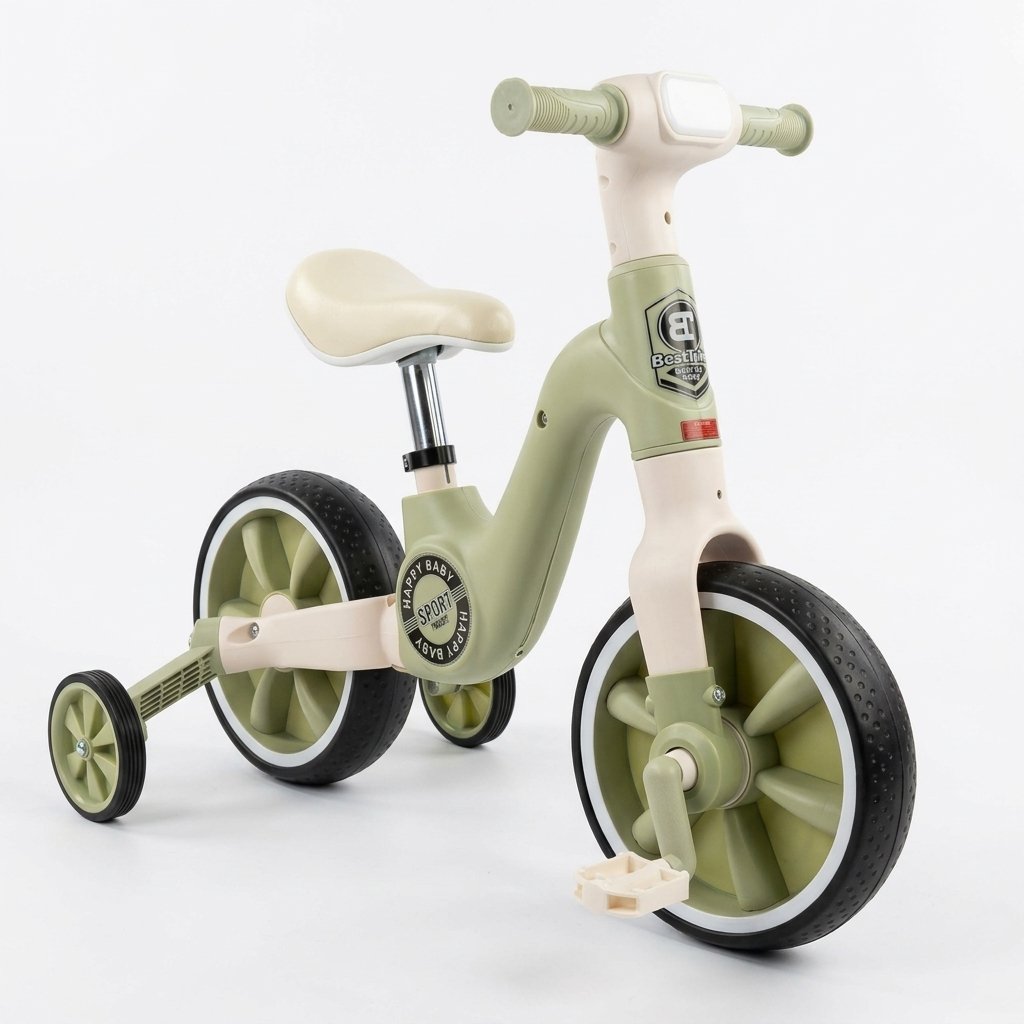
Watch & Shop Watch Reviews & Shop Featured Products Directly
Salma Akter
1 month ago



Salma Akter
1 month ago
Salma Akter
1 month ago

Featured high-converting products directly promoted by verified merchants & brands.
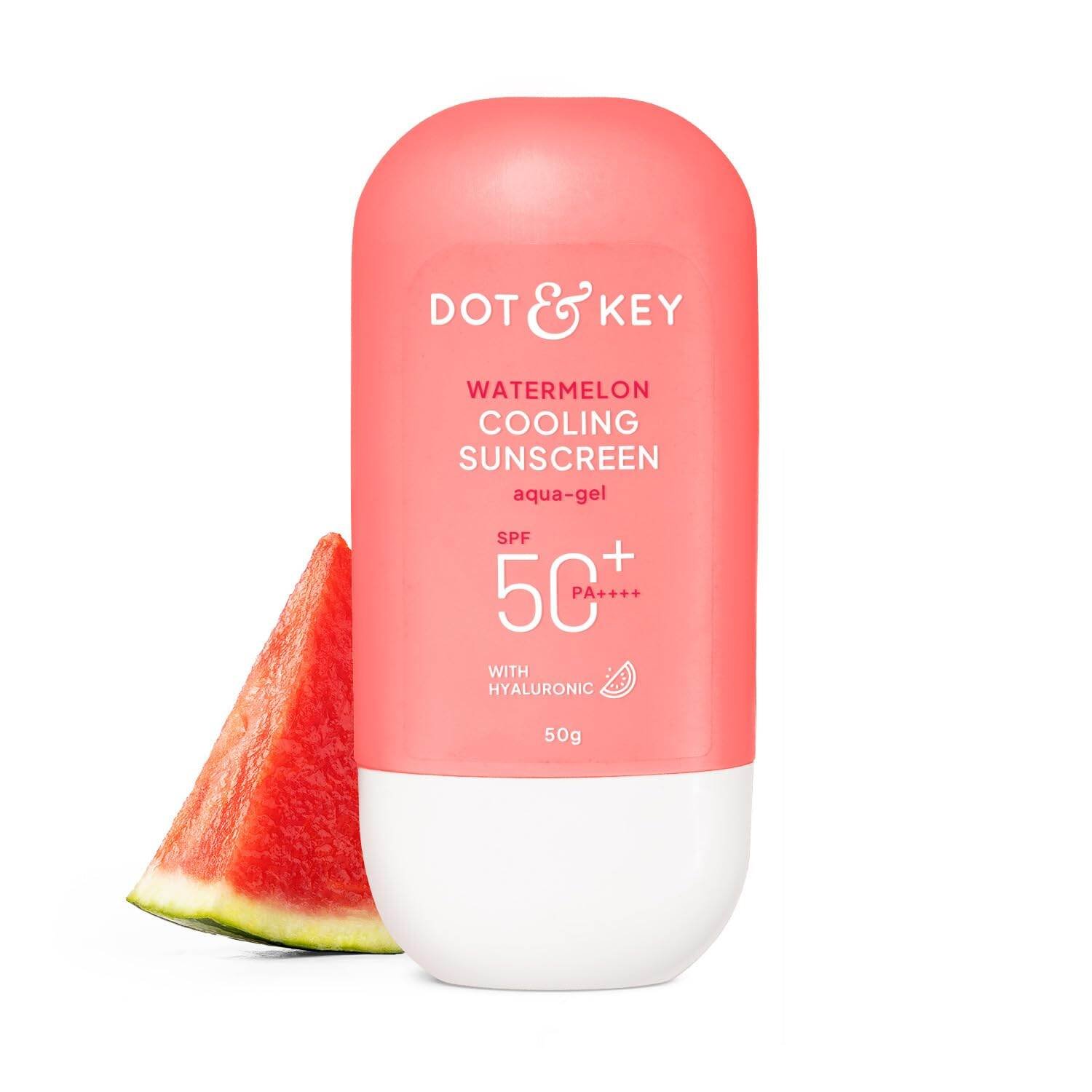
Instant cooling sunscreen for luminous, sun protected skin. Supercharged with Watermelon, Hyaluronic Acid & UV Filters. Provides oil-free hydration while reducing uneven skin tone. Blocks UVA+UVB+blue light rays to check tanning & sun burn. Aqua gel
Boost Your Post, Video or Website
Get instant visibility across the BnaGo social feed, video watch hub, and marketplace homepage billboard.
Featured Deals Featured & High Profit Margin Items

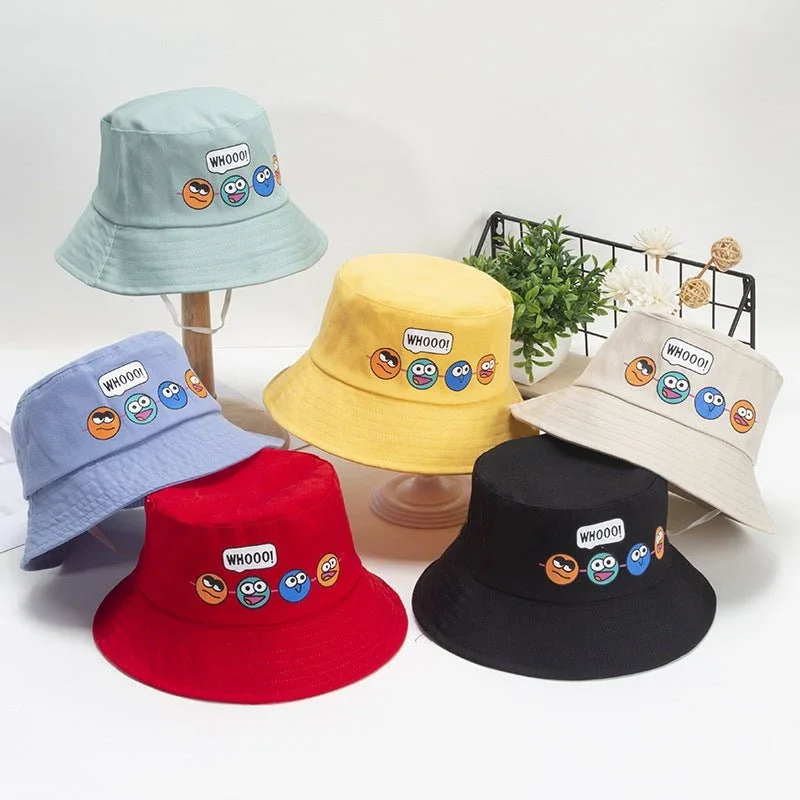
Bear Cute Summer Hats with Breathable Rear Mesh Caps for Boys and Girls
Premium Kids Bicycle with Training Wheels – The Ultimate First Ride for Your Little Adventurer
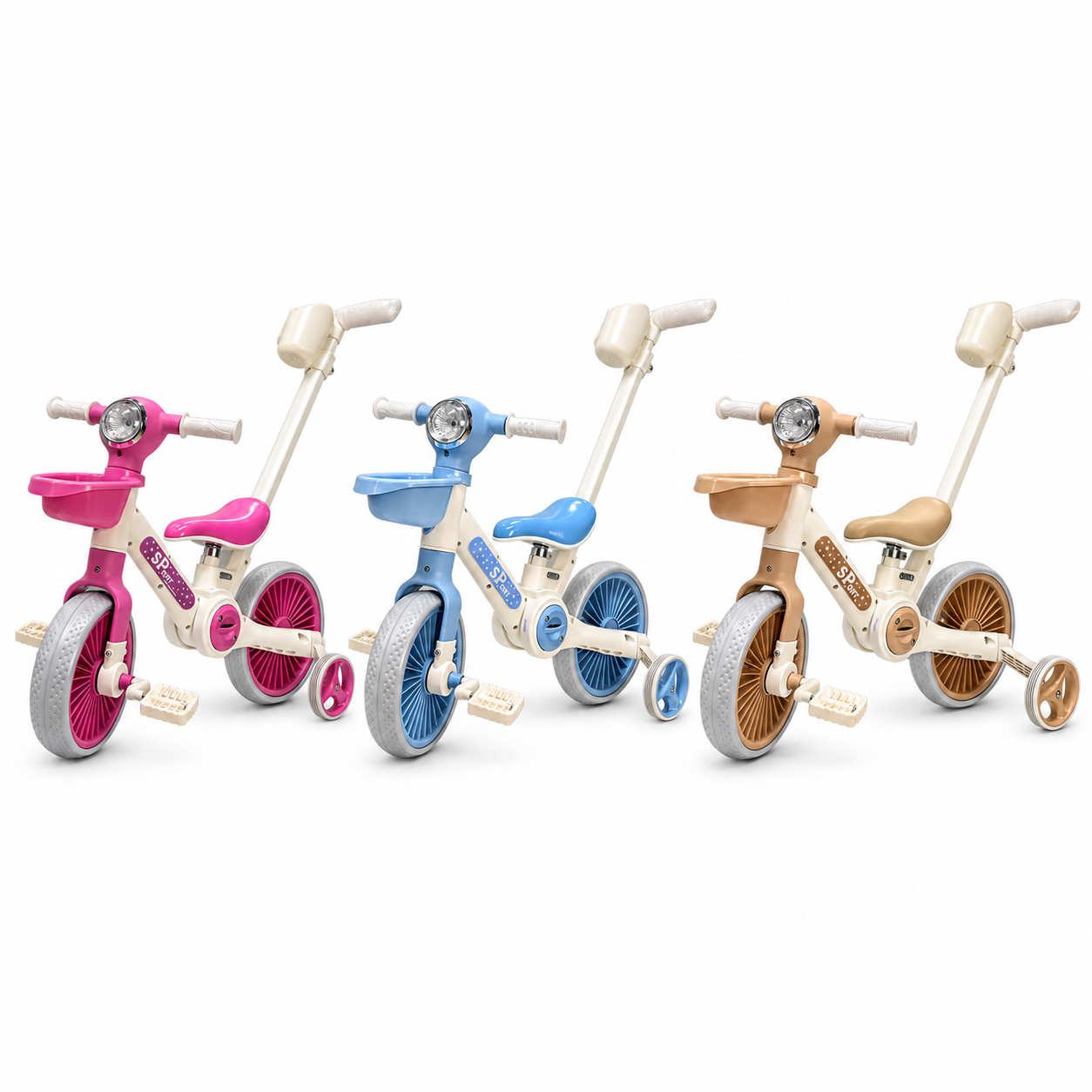
Premium Kids Bicycle with Push Handle & Basket – The Perfect First Ride for Your Little One

Apparel & Accessories
➔ Sliding Left
Bear Cute Summer Hats with Breathable Rear Mesh Caps for Boys and Girls

Consumer Electronics
⬅ Sliding Right
Sports & Entertainment
➔ Sliding Left
Jewelry, Eyewear & Watches
⬅ Sliding Right
Parents, Kids & Toys
➔ Sliding Left
Comments (0)